Last updated: November 2026
Data privacy, security compliance, and incident response teams often work in separate systems despite relying on the same information. Privacy teams manage inventories and assessments, compliance teams oversee obligations and controls, and incident teams document investigations and corrective actions. Without a connected approach, records conflict and accountability becomes harder to maintain.
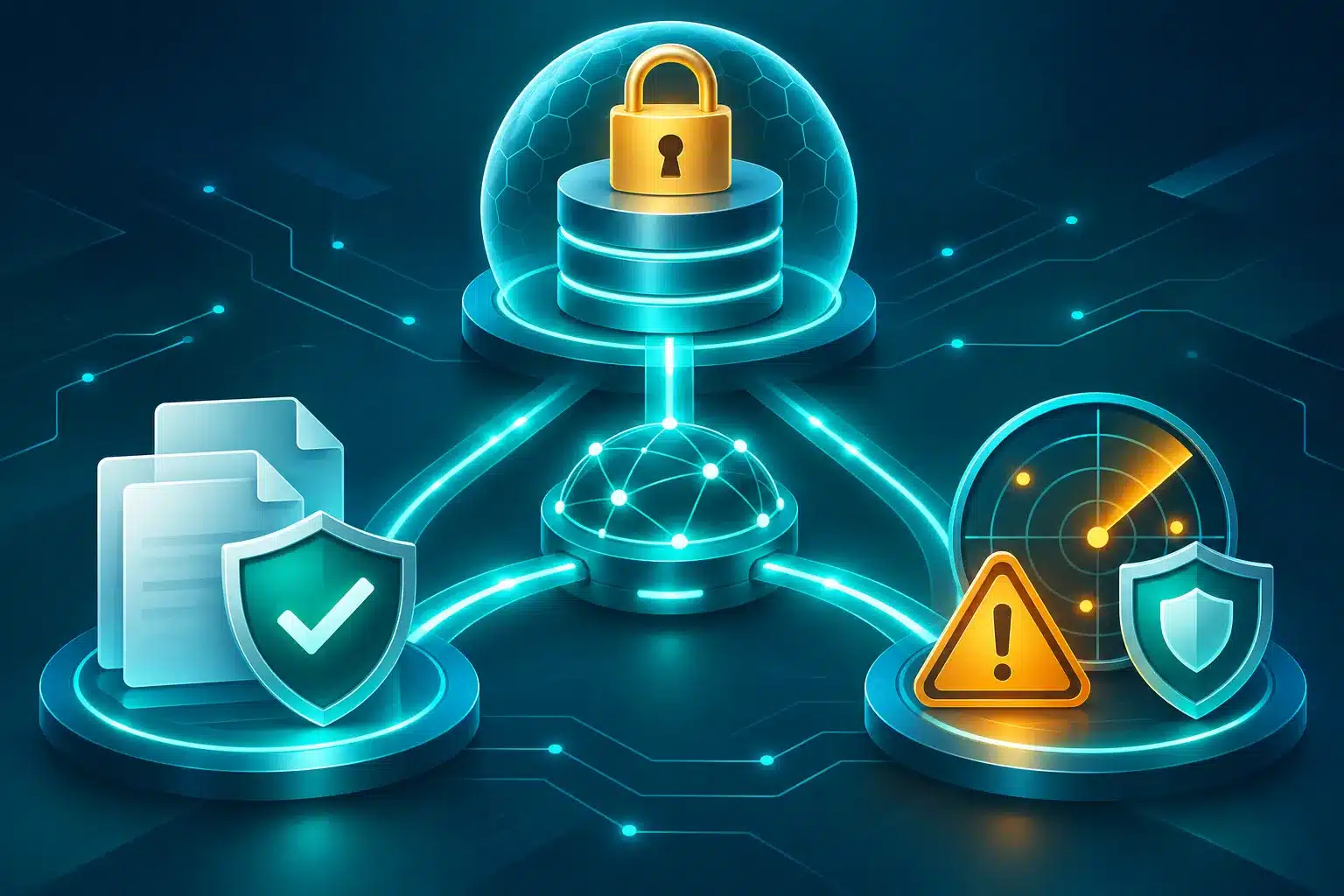
A connected Governance, Risk, and Compliance (GRC) platform unifies the data, workflows, and ownership behind these programs. Onspring connects data privacy management, compliance management, and incident management so teams can centralize evidence, relate risks to controls, and track remediation in one system. Configurable dynamic workflows help keep work moving across teams with clear accountability.
This article explores what to look for in connected GRC software, how privacy, compliance, and incident response workflows should work together, and where Onspring fits among other tool categories.
Key Takeaways
- Connected GRC reduces duplication, clarifies ownership, and enables audit-ready reporting across privacy, compliance, and incidents.
- Data privacy, security compliance, and incident response are connected workflows, not isolated programs.
- Privacy incidents may require security investigation, legal review, evidence collection, control updates, remediation, and reporting.
- Compliance teams need evidence from privacy and security workflows to support audits, regulatory obligations, and control testing.
- The best software connects data inventory, assessments, controls, incidents, issues, evidence, owners, due dates, dashboards, and remediation.
- Point solutions may work for narrow use cases, but teams should evaluate whether they connect privacy, compliance, incidents, and enterprise risk.
- Onspring is a strong fit for organizations that need configurable GRC workflows, data privacy management, compliance management, incident management, dashboards, integrations, and cross-functional accountability.
Why Privacy, Security Compliance, and Incident Response Should Be Connected
A security incident involving personal data can trigger privacy obligations, compliance concerns, and reporting requirements that span several teams. When those teams work in separate systems, they must piece together what data was affected, which controls applied, where the evidence lives, and who owns the next step.
Connected workflows turn that scramble into a coordinated response. Privacy assessments can reveal control gaps before an incident occurs, while incident findings can feed directly into risk, corrective action, and remediation processes. Compliance teams can then use the same records to support control testing and audit readiness, rather than chasing evidence across emails and various tools.
This gives leaders a clear view of privacy risk, compliance posture, open incidents, and remediation progress. It also helps organizations respond to an increasingly complex regulatory environment: twenty states now have comprehensive privacy laws in effect, and organizations operating across jurisdictions must quickly determine which requirements apply when an incident involves personal data. The right GRC platform provides the visibility, ownership, and audit trail needed to support a timely, defensible response.
What Is Connected Privacy, Security Compliance, and Incident Response in GRC?
Connected GRC brings privacy, security compliance, and incident response into the same system of record. It gives teams a shared way to manage obligations, controls, evidence, and follow-up work so information remains connected as risk evolves.
A data inventory can be linked to the systems, vendors, and business processes it supports. Those records can then connect to applicable obligations and controls. When a privacy assessment identifies a gap or an incident requires investigation, teams can reference the same underlying information and route the appropriate work to the right people. Decisions, approvals, and evidence are captured in context and available when needed for audit or leadership reporting.
The Cost of Disconnected Privacy, Security Compliance, and Incident Programs
Disconnected programs create costs that are easy to miss because they are spread across the business. An effective GRC platform brings that work into one system, making it easier to see what happened and determine what comes next.
Cost of data breaches involving personal data
The cost of a cyber incident extends beyond the initial response. NetDiligence’s 2025 Cyber Claims Study analyzed 10,402 claims and found a five-year average incident cost of $264,000 for small and medium enterprises. At large companies, that average reached $10.3 million. Claims involving business interruption were more than 650% more costly, on average, than claims without it.
When personal data is involved, the response must move quickly. Privacy teams need to understand the data exposed, security teams need to determine the scope of the event, and compliance and legal teams need a clear record of the decisions made. A shared system gives each team access to the same information without slowing the investigation.
Cost of duplicated evidence and manual coordination
Work becomes repetitive when teams maintain separate records. A document collected during a privacy assessment may be requested again during an audit, and an incident update may require manual follow-up before it reaches the compliance team. These handoffs add time and make it harder to maintain a complete record.
Privacy investment can create meaningful business value. Cisco’s 2025 Data Privacy Benchmark Study found that 96% of respondents believed the benefits of their privacy investment outweighed the cost. The median estimated return was 1.6 times the investment. Respondents also reported stronger operational efficiency and fewer sales delays.
Time lost proving compliance after the fact
Scattered information makes it difficult to explain how a decision was made or whether a remediation effort is complete. Teams may need to search spreadsheets, tickets, and email threads before they can provide an update. That work diverts attention from current risks.
A connected GRC platform preserves context as work moves forward. When leadership, auditors, or regulators need an update, teams can report from the platform itself instead of rebuilding the story.
Common Workflows That Should Connect Privacy, Compliance, and Incident Response Programs
Integrating the right workflows is often the fastest way to improve coordination across privacy, compliance, and incident response. Rather than redesigning every program at once, organizations can begin with the points where work already overlaps. Here’s how this could look within a GRC platform:
Privacy Assessment Workflow
A privacy assessment often begins when the organization introduces a new system, vendor, or processing activity. The privacy team documents the proposed use of data and determines the scope of the review. That record should connect directly to the relevant data inventory.
The workflow can then route the assessment to the appropriate reviewers. Security evaluates the technical safeguards, and legal and compliance teams consider applicable requirements. The platform captures their decisions and keeps supporting evidence with the assessment.
If the review identifies a risk, the assessment should create a remediation action rather than end as a static record. Teams can assign the work, set a due date, and validate the result before closure. That outcome remains available for privacy reporting and control assurance.
Security Compliance Evidence Workflow
Control testing should not require a separate search for every audit cycle. A connected workflow identifies the control under review, assigns an evidence owner, and provides a clear request for what is needed.
Once submitted, evidence can be reviewed and linked to the control it supports. That connection allows teams to demonstrate alignment with the frameworks that apply to their organization, such as ISO 27001, SOC 2, HIPAA, PCI DSS, NIST, or CMMC. It also helps teams see where a single artifact can support more than one requirement.
When testing identifies a deficiency, the platform can create a remediation item and track it through completion. Dashboards can then show the current state of control testing and outstanding work without requiring a manual update from each team.
Incident Response and Privacy Review Workflow
An incident may begin in a security tool, a service desk ticket, or a report from an employee. The first step is to document the event consistently and identify the systems affected. If personal data may be involved, the incident should trigger a privacy review early in the process.
Your workflow should route the investigation to the people responsible for the next decision. Security teams can document their findings, privacy and legal teams can assess the potential impact, and compliance can maintain the record needed to support internal governance and any required review.
Breach notification obligations should be considered as part of that early review. Notification windows can be tight, and requirements often differ across state, federal, and EU laws. The clock may begin at discovery, when an organization should reasonably have known about an incident, or another legally defined point. A connected workflow helps security, privacy, legal, and compliance teams stay aligned on key dates, decisions, and responsibilities so they can meet applicable notification deadlines.
GRC platforms keep investigation materials attached to the incident as the response progresses. They can also create corrective actions that link back to the related control, risk, or privacy assessment. That gives leaders a clearer view of incident trends and the status of follow-up work.
Issue Remediation Workflow
Issues can begin in many places, but the path to resolution should remain consistent. When an assessment, audit, control test, or incident identifies a gap, the organization should be able to assign ownership and establish an appropriate timeline immediately.
The remediation owner documents the plan and coordinates the work through the platform. Required reviews can occur within the same workflow. Before closure, the team can attach validation evidence that shows the issue was addressed.
Closing the issue updates the records that depend on it, including the related risk, control, privacy assessment, or incident. This gives teams a more reliable view of what remains open and helps prevent findings from becoming disconnected from the work required to resolve them.
Workflow Diagram: How Privacy, Compliance, and Incident Response Connect
Each workflow step involves specific teams with clear ownership, approvals, and evidence captured in the same system of record. With a GRC platform, the outcome is traceability through assessment, decisions, evidence, and remediation.
- Trigger: Privacy request, processing change, compliance test, incident, vendor event, audit finding, control failure, or regulatory change
- Triage: Classify data, affected systems, incident severity, regulatory relevance, business impact, and control implications
- Route: Send tasks to privacy, security, legal, compliance, risk, audit, IT, vendor owners, and business owners
- Assess: Complete privacy assessment, security review, compliance control test, or incident review
- Collect Evidence: Gather reports, screenshots, approvals, policies, logs, contracts, incident records, and control test results
- Map Controls: Connect evidence to obligations, controls, risks, frameworks, vendors, assets, and processes
- Remediate: Assign corrective actions, due dates, owners, and closure requirements
- Escalate: Notify leaders when tasks, evidence, reviews, or remediation are overdue
- Report: Show privacy risk, compliance posture, incident status, evidence gaps, and remediation progress
- Monitor: Refresh evidence, review open issues, reassess controls, and update dashboards
Feature Matrix: What to Look for in Connected GRC Software
Use this matrix to evaluate whether a GRC platform can truly integrate privacy, compliance, and incident response into one lifecycle. Focus on capabilities that support shared data models, reusable evidence, role-based workflows, and cross-framework reporting.
| Capability | Why It Matters | What to Look For | Common Gaps in Point Solutions | Onspring Fit |
| Data inventory and mapping | Forms the backbone for linking systems, vendors, data types, and processing activities to obligations and controls. | Configurable data model, relationships to assets/vendors/processes, import tools, deduplication, role-based access. | Limited relationships, static fields, weak imports, and no linkage to controls/incidents. | Onspring helps centralize inventories and map records to systems, vendors, risks, and controls for traceability. |
| Privacy impact assessments | Drives risk identification and control design before deployment. | PIA/DPIA triggers, templates, routing, approvals, evidence attachments, reporting by status and risk. | Templates without routing, minimal approvals, evidence stored outside the tool. | Onspring supports configurable PIA/DPIA workflows with triggers, reviews, evidence, and dashboards. |
| DSAR / privacy request workflows | Connects individual rights requests to data inventories, risks, and issues. | Case intake, ID verification steps, SLA tracking, owner routing, linkage to systems and data types, reporting. | Siloed case management without risk/control linkage or issue creation. | Onspring can link DSAR records to inventories, issues, and reports while integrating with specialized request tools. |
| Compliance obligation management | Aligns policies and controls to laws, standards, and internal requirements. | Obligation library, mapping to policies/controls, owners, review cadence, exceptions, attestations. | Basic lists with no mappings or lifecycle reviews. | Onspring helps manage obligations and map them to controls, policies, and evidence with review workflows. |
| Control mapping and testing | Proves control design and operating effectiveness across frameworks. | Cross-framework mapping, test plans, sampling, results, exceptions, approvals, and evidence reuse. | Single-framework focus, weak test workflows, poor evidence lineage. | Onspring supports control libraries, testing workflows, exceptions, and cross-framework mapping with audit trails. |
| Security evidence collection | Reduces duplicate requests and supports audits. | Owner assignments, due dates, templated requests, versioning, metadata, and reuse across audits/assessments. | Unstructured file storage without metadata or reuse. | Onspring can centralize security evidence with metadata and link it to controls, risks, and incidents. |
| Incident intake and classification | Ensures consistent severity, routing, and documentation. | Multi-source intake, severity models, affected systems/data, personal data flags, workflow routing. | Ticket-only records lacking privacy/legal routing or data flags. | Onspring supports centralized intake, classification, flags, and routing across privacy, security, and legal teams. |
| Breach review support | Structures privacy/legal review without giving legal advice. | Checklists, required fields, stakeholder sign-offs, evidence capture, and timeline documentation. | Operational tools without governance approvals or audit-ready histories. | Onspring helps route breach review steps, capture decisions, and centralize documentation for oversight. |
| Issue remediation | Closes the loop on findings with accountability. | Issue creation from findings, owners, due dates, escalation, validation evidence, closure, and approvals. | Findings tracked outside remediation; unclear ownership and status. | Onspring supports end-to-end issue workflows with escalation and validation evidence. |
| Risk and control linkage | Enables cause-and-effect analysis and prioritization. | Bidirectional links among risks, controls, incidents, obligations, vendors, and assets. | Flat lists without relationships or impact analysis. | Onspring links risks and controls to incidents, issues, obligations, and vendors for context. |
| Owner routing and approvals | Speeds reviews and clarifies accountability. | Role-based routing, conditional steps, delegation, and approvals with timestamps. | Manual emails and unclear handoffs. | Onspring provides dynamic, no-code routing and approvals with audit trails. |
| Due dates and escalation | Prevents delays and supports SLAs. | Automated reminders, escalation rules, and dashboards for overdue items. | Static due dates and manual chasing. | Onspring enables automated reminders, escalations, and visibility into overdue tasks. |
Where Onspring Fits Across Common Software Categories
Organizations building a connected privacy, compliance, and incident response program often rely on separate tools for GRC, privacy management, security compliance, incident response, audit, risk, and ticketing. Onspring brings these functions together in one configurable platform, connecting the records and workflows that each team relies on.
- GRC: Onspring provides a central system for obligations, controls, risks, incidents, issues, and reporting. Teams work from connected records instead of maintaining separate versions of the same information.
- Privacy management: Onspring connects DSARs, PIAs, DPIAs, and records of processing activities to the controls, incidents, and remediation work that may affect them.
- Security compliance automation: Onspring centralizes evidence and relates it to the controls and obligations it supports. Teams can manage testing and reporting across applicable frameworks.
- Incident management and response: Onspring adds privacy review, approval steps, and remediation tracking to incident workflows. Relevant stakeholders can stay involved as an investigation moves forward.
- Audit and risk: Onspring links audit findings to the related controls, risks, and issues. Remediation remains visible from the initial finding through validation and closure.
- Ticketing and workflow: Onspring brings GRC context, connected records, and reporting to workflow management while integrating with the ticketing systems teams already use.
- Spreadsheets, email, and shared drives: Onspring gives teams a more structured way to manage program information through governed records, configurable workflows, and real-time dashboards.
Best Fit by Use Case
The right software depends on where the work begins and how often it crosses into another function. Point solutions can support a focused need, but a connected GRC platform becomes more valuable when privacy, compliance, and incident response teams share evidence, ownership, and reporting responsibilities.
Onspring is designed for organizations that need to connect these programs without forcing every team into the same process. Its configurable, no-code platform lets teams manage their own work while maintaining shared context across the enterprise.
Best Fit for Privacy Teams
Privacy leaders need a clear view of how personal data moves through the organization. That work includes maintaining records of processing activities, conducting PIAs and DPIAs, managing DSARs, and tracking privacy risk.
A privacy-focused platform can be useful when consent management or data mapping is the primary need. However, teams may need a broader system when privacy findings affect controls, trigger incident review, or require remediation.
Onspring Data Privacy Management connects data inventories and privacy assessments to the controls, incidents, and issues that may affect them.
Best Fit for Security Compliance Teams
Security compliance teams need to demonstrate that controls are designed, operating, and supported by appropriate evidence. They often manage multiple frameworks, which can make it difficult to keep requirements and testing activities aligned.
Automation tools can help with a specific framework or monitoring need. A connected platform is a stronger fit when control testing must also inform privacy reviews, incident follow-up, audit activity, and enterprise reporting.
Onspring Compliance Management helps teams manage obligations, controls, testing, and evidence in the same system. It also keeps exceptions and remediation connected to the compliance records that prompted them.
Best Fit for Incident Response Teams
Incident response teams need to document events quickly and move investigations forward without losing context. When personal data may be involved, they also need to know when to involve privacy, legal, or compliance stakeholders.
Dedicated response and SOAR tools support technical detection and coordination. Onspring complements those tools by providing the governance layer around the incident. Teams can connect the incident record to relevant privacy information, document review steps, and track corrective actions through closure.
Onspring Incident Management provides a structured system of record for incident intake, investigation, review, and follow-up. It helps ensure that the work completed after an incident remains visible to the teams responsible for risk and compliance.
Best Fit for Legal and Compliance Leaders
Legal and compliance leaders need a clear record of how the organization interpreted requirements and made decisions. That record becomes especially important when an assessment, incident, exception, or remediation plan requires formal review.
A connected GRC platform can route the right request to the right role, then preserve comments, approvals, and supporting documentation in the same workflow. This approach gives legal and compliance teams greater visibility without requiring them to manage the operational work themselves.
Onspring’s configurable workflows help organizations operationalize their review processes without custom coding. Teams can report on the status of obligations and quickly identify items that require legal or compliance attention.
Best Fit for GRC Teams
GRC teams create the structure that allows risk, control, and assurance activities to work together. When each function maintains its own risk register or control library, the organization can lose a consistent view of its posture.
Onspring GRC software gives teams a shared foundation for managing risk and control information. Organizations can tailor taxonomies, workflows, and reporting to their program, then use dashboards to communicate privacy risk, compliance posture, incident trends, and remediation progress.
Best Fit for Executives
Executives and boards need timely information that supports decisions. They need to understand the organization’s exposure, the work underway to address it, and the areas that require attention.
Disconnected tools often turn reporting into a manual exercise. Onspring analytics, real-time reporting, and custom dashboards bring connected program data into role-based views. Leaders can see the measures that matter to them and drill into the underlying work when more detail is needed.
Data Privacy, Security Compliance, and Incident Response by Industry
The workflow looks similar across industries, but the frameworks in play and the stakes of getting it wrong differ.
Financial Services
Banks and financial institutions manage GLBA, state privacy laws, PCI DSS, and SOX alongside GDPR or CCPA for customers overseas. An incident involving customer data can trigger obligations across several of these frameworks at once, so examiners expect a clear, documented path from the incident to the controls, notifications, and remediation that followed.
Healthcare
Healthcare organizations manage HIPAA and state privacy laws alongside payer and CMS requirements. Industry incident response research shows healthcare has remained the most targeted industry for data security incidents for more than a decade. Connecting privacy incident review to security control testing helps teams move faster on breach notification decisions and keep documentation ready for regulators.
Technology and SaaS
Technology and SaaS companies handle customer data across many of the 144 countries with privacy laws in force, while also managing SOC 2 or ISO 27001 evidence for enterprise customers. Connected GRC ties incident records to the same controls and evidence used in security questionnaires and customer audits, so one investigation supports multiple obligations instead of starting over for each.
How Integrations Help Connect Privacy, Compliance, and Incident Response
Integrations make connected GRC work by syncing incidents from security or ITSM systems, importing assets from CMDBs, bringing in vendor records, and linking document repositories for evidence. Collaboration integrations reduce friction for notifications and reviews, while ITSM and ticketing integrations allow remediation tasks created in GRC to execute in operational tools with governance visibility preserved.
APIs and connectors support migrations from spreadsheets, minimize duplicate data entry, and keep dashboards current. Onspring’s integrations feed a central governance system of record where ownership, approvals, and audit trails are maintained.
Reporting and Dashboards for Connected Privacy, Compliance, and Incident Response
Connected reporting gives teams a current view of program activity without relying on manual updates from separate tools. Recommended dashboards can track privacy program maturity, data inventory status, PIA and DPIA progress, DSAR queues, framework status, control testing, and evidence collection.
Incident dashboards should highlight open security incidents and show when personal data is involved. They can also track remediation progress and reveal trends by incident type, severity, business unit, or root cause. Additional views can bring attention to open findings, overdue work, and risk acceptance activity.
Dashboards should help teams and leaders answer:
- What data is involved?
- Which controls are affected?
- What evidence is missing?
- Which incidents require privacy or legal review?
- What remediation is overdue?
- Which obligations are affected?
- What has changed since the last report?
- What requires executive action?
Onspring’s analytics, real-time reporting, and custom dashboards can be configured around the KPIs that matter most to your organization.
How to Evaluate Software for Privacy, Security Compliance, and Incident Response
Use the checklist below to assess whether a GRC platform can support your privacy–compliance–incident lifecycle. Vendors should be able to demonstrate how their platform supports implementation, adoption, and long-term program maturity.
- Can the platform manage data privacy, security compliance, and incident response in one connected workflow?
- Can it support data inventory, PIAs, DPIAs, DSARs, and privacy risk tracking?
- Can it map obligations to controls, policies, risks, and evidence?
- Can it manage incident intake, severity, investigation, corrective actions, and remediation?
- Can it flag incidents that involve personal data or require privacy review?
- Can it route tasks to privacy, security, legal, compliance, audit, IT, and business owners?
- Can it track evidence, approvals, due dates, escalations, and audit trails?
- Can it connect incidents to controls, risks, vendors, systems, and remediation?
- Can it provide real-time dashboards for privacy, compliance, security, GRC, and executives?
- Can it integrate with business, security, IT, document, and ticketing systems?
- Can non-technical administrators adjust workflows, data models, and reports?
- Does the vendor support implementation, adoption, and long-term program maturity?
Common Mistakes to Avoid
Privacy, compliance, and incident response programs lose momentum when information and ownership remain disconnected. The result is often repeated work, slower decisions, and reporting that does not reflect the organization’s current position. Some of the most common mistakes that lead to these issues are:
- Treating privacy, compliance, and incident response as separate programs: These teams have different responsibilities, but they often rely on the same information. Align core taxonomies and identify evidence that can be shared. Then begin connecting a few high-value workflows without requiring every function to follow the same process.
- Using incident tools without privacy and compliance context: Detection and response tools may not capture the information needed for privacy review. Connect incident records to the relevant data, then route review to privacy, legal, or compliance stakeholders when needed. This helps preserve the documentation behind each decision.
- Collecting evidence without mapping it: Evidence is less useful when it is stored without context. At the time of collection, connect each artifact to the record it supports, such as a control, privacy assessment, incident, or risk. That relationship makes the information easier to reuse during an audit or investigation.
- Managing DSARs separately from GRC: A dedicated DSAR tool can support day-to-day request handling. However, request trends can also reveal gaps in data inventory, process design, or control performance. Connect those insights to the relevant GRC records so they can inform risk and remediation decisions.
- Creating findings without clear remediation ownership: A finding does not reduce risk until someone is responsible for resolving it. Use a structured issue workflow to assign ownership, set due dates, and document validation before closure. Escalation rules can help teams keep high-risk or overdue work visible.
- Prioritizing dashboards before data quality: A dashboard is only as reliable as the records behind it. Establish data standards and ownership before expanding reporting. Start with the measures that matter most, validate the information, and build from there.
- Assuming one point solution covers the full GRC lifecycle: Point solutions can be effective within their intended domain, but they may not provide the connections needed across the enterprise. Use a connected GRC platform as the governance hub for obligations, risks, controls, issues, and reporting, while continuing to integrate specialized tools where they add value.
Where Onspring Fits in Connecting Data Privacy, Security Compliance, and Incident Response
Best for: Organizations that need privacy, security, compliance, and incident response teams to work from connected records and coordinated workflows. Onspring provides a configurable GRC platform for managing the evidence, decisions, and follow-up work these programs share.
Pros
- Configurable workflows: Dynamic Workflows can route privacy assessments, control testing, and incident reviews to the appropriate stakeholders.
- Connected program records: Privacy, compliance, and incident activity can link to the same controls, risks, obligations, and evidence. Teams can reuse information instead of collecting it again.
- Role-based reporting: Analytics and real-time dashboards give operational teams and leadership visibility into the KPIs most relevant to their role.
- Integrations: Onspring integrations connect the platform with incident data, vendor information, and other business systems.
Considerations
- Teams need to configure their data inventories, control libraries, and workflows before the platform reflects the way their program operates.
- Onspring is not designed to replace a dedicated consent management platform or SOAR tool. Organizations may continue to use specialized solutions for those operational needs while connecting their governance data in Onspring.
Where This Fits Best
Onspring is a strong fit when an event in one program should trigger work in another. For example, an incident involving personal data may require privacy review, legal input, control assessment, and remediation. A connected GRC platform keeps that work in one system, with a clear record of ownership and decisions.
Onspring Data Privacy Management, Compliance Management, and Incident Management work together to connect the underlying records and workflows. Organizations can extend that foundation with risk management, policy management, and surveys as their program evolves. Analytics then brings this connected data into a current view of privacy risk, compliance status, incident activity, and remediation progress across the Onspring platform.
Final Recommendation: Choose Software That Connects Privacy, Compliance, Incidents and Remediation
Disconnected tools make it harder to respond when a privacy or security event occurs. Teams spend time reconciling records, locating evidence, and determining ownership instead of moving the work forward.
Onspring brings data privacy management, compliance management, and incident management together in a configurable GRC platform. Request a demo to see how Onspring GRC software can connect these programs across your organization.
Frequently Asked Questions
What software helps manage data privacy, security compliance, and incident response together?
A connected GRC platform helps manage data privacy, security compliance, and incident response together. It centralizes data inventories, PIAs/DPIAs, DSARs, obligations, controls, incidents, evidence, issues, remediation, workflows, dashboards, and reporting in one system. This reduces duplication and enables end-to-end traceability across privacy, compliance, and incident programs.
What is connected privacy, security compliance, and incident response in GRC?
Connected privacy, security compliance, and incident response in GRC means managing privacy obligations, security controls, incidents, evidence, risks, issues, remediation, and reporting through shared workflows and linked records instead of separate tools. This creates a single source of truth for approvals and audits.
Why should privacy, compliance, and incident response be managed together?
These functions share data, controls, evidence, owners, and remediation tasks, so connecting them reduces duplicated work and speeds response. It also gives executives a single view of privacy risk, compliance posture, incident status, and remediation progress.
How does GRC software support data privacy management?
GRC software supports data inventories, records of processing, PIAs/DPIAs, DSAR workflows, privacy risk tracking, reviews, and evidence capture. It links privacy artifacts to controls, obligations, incidents, and remediation for reusable evidence and reporting.
How does GRC software support security compliance?
It manages obligations, control libraries, testing, evidence, exceptions, and reporting across frameworks like ISO 27001, SOC 2, HIPAA, PCI DSS, and NIST. Evidence from privacy and incident workflows is reused to support audits and assessments.
How much does connected GRC software cost?
Pricing varies by vendor, number of modules, and program scale, and most vendors quote custom pricing rather than publishing rates. A point solution for a single function may cost less upfront, but a connected GRC platform can lower the total cost of duplicated tools, repeated evidence requests, and manual reporting across privacy, compliance, and incident teams.
How long does it take to implement connected GRC software?
Timelines depend on how many frameworks, data sources, and integrations you configure. No-code platforms typically get an initial privacy, compliance, or incident workflow live faster than large enterprise suites, though full data inventory and control mapping across every function takes longer regardless of vendor.
What is the difference between a connected GRC platform and a privacy-only or compliance-only tool?
A privacy-only or compliance-only tool manages one function well but usually stops at its own data model. A connected GRC platform links privacy records, security controls, incidents, evidence, risks, and remediation in one system, so a single event, such as an incident involving personal data, can drive updates across every affected area instead of staying siloed.